
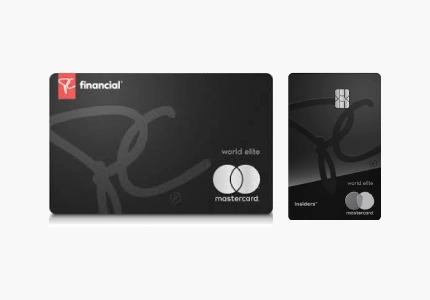
PC® World Elite Mastercard®: A Step-by-Step Guide & FAQ
Applying for a premium, no-annual-fee card in 2026 is faster than ever. If you have your documents ready, the digital application for the PC® World Elite Mastercard® typically takes less than 15 minutes. Follow this roadmap to ensure a smooth approval process.
Step 1: Conduct a Qualification Self-Audit
Before you hit “Apply,” confirm you meet the “Elite” criteria. In 2026, the requirements remain strict for this tier:
- Income: Minimum personal annual income of $80,000 or a household income of $150,000.
- Credit Score: A recommended score of 660+ (though 700+ is ideal for instant approval).
- Residency: You must be a permanent Canadian resident and of the age of majority in your province.
Step 2: Link Your PC Optimum™ Account
To ensure your new card and existing points are synchronized, have your PC Optimum™ card or account number ready. If you don’t have one, the application will create a new ID for you. Using your existing ID allows you to “stack” personalized app offers with your card’s 3%–4.5% earn rates immediately.
Step 3: Complete the Secure Online Application
Navigate to the PC Financial® official website. You will need to provide:
- Personal Information: Full name, date of birth, and Social Insurance Number (SIN) for a real-time credit check.
- Employment Details: Your current job title, industry, and total gross annual income.
- Contact Info: A valid Canadian street address (P.O. boxes are generally not accepted for the primary address).
Step 4: Identity Verification (The Digital Selfie)
As part of 2026 security protocols, you may be asked to complete a Digital ID Verification. This involves:
- Uploading a photo of a government-issued ID (Driver’s License or Passport).
- Taking a short “selfie” video to verify that you are the person on the ID.
Step 5: Activation and the 20,000 Point Bonus
Most applicants receive a decision in under 60 seconds. Once your card arrives (usually in 7–10 business days):
- Activate it via the PC Financial app.
- Make your first purchase (even a $1 item) to trigger the 20,000 PC Optimum™ points welcome bonus ($20 value).
FAQ: Frequently Asked Questions
1. What happens if I don’t meet the $80,000 income requirement?
PC Financial® uses a “Waterfall Approval” system. If you apply for the World Elite but don’t meet the income or credit criteria, you will automatically be considered for the PC® World Mastercard® ($50k income) or the base PC® Mastercard® (no minimum income). You’ll still earn points, just at a slightly lower rate.
2. Is there a minimum spend to keep the “World Elite” status?
Yes. To maintain the World Elite tier, Mastercard typically requires an annual spend of at least $15,000. If your spending falls significantly below this over 12 months, PC Financial may downgrade your card to a lower tier at their discretion.
3. Can I use the PC® World Elite Mastercard® at Costco?
Absolutely. Since it is a Mastercard, it is accepted at all Costco warehouses in Canada. While Costco is not a “PC Grocery” store (so you’ll earn the base 10 points per $1), it is a great way to consolidate your spending toward that $15,000 annual requirement.
4. How does the 10-day Travel Emergency Medical Insurance work?
As a World Elite cardholder under age 65, you are covered for the first 10 days of any out-of-province trip for up to $1,000,000 in emergency medical costs. You do not need to charge the trip to your card for this specific benefit to be active, but the card must be in good standing.
5. Can I redeem points directly at the gas station?
Yes! You can redeem your PC Optimum™ points at Esso™ and Mobil™ stations. You can choose to use points for car washes or fuel discounts (usually in increments of 10,000 points for $10 off).
You will be redirected to the institution’s website.
