
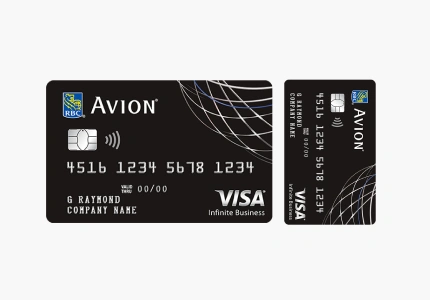
From application to takeoff: Your step-by-step roadmap to RBC Avion Visa Infinite card approval
In a market saturated with fine print and blackout dates, the RBC Avion Visa Infinite stands as the ‘gold standard’ for flexibility in 2026. With a record-breaking offer of up to 55,000 points available until June 15, this isn’t just a credit card; it is an unrestricted passport. If you are looking for the freedom to fly on any airline, this guide reveals how to turn your daily spending into luxury travel.
The application process is entirely digital and designed for speed. By following these steps, you can often secure an “instant approval” in under 60 seconds.
Step 1: The Eligibility Check
Before applying, ensure you meet the 2026 financial thresholds:
- Minimum Income: You need a gross personal income of $60,000 or a household income of $100,000. Alternatively, RBC may consider you if you have $250,000 in investable assets.
- Credit Score: A “Good to Excellent” credit score (typically 725+) is recommended for a smooth approval.
- Status: You must be a permanent Canadian resident and of the legal age of majority in your province.
Step 2: Gather Your Documentation
To avoid delays, have your Social Insurance Number (SIN) and current employment details (employer name, job title, and length of employment) ready. If you are an existing RBC customer, logging into RBC Online Banking first will pre-fill most of your data.
Step 3: Complete the Digital Application
Navigate to the RBC official site and select the Avion Visa Infinite. The form will ask for your personal details and financial status.
- Pro Tip: Be precise with your income. RBC’s automated systems verify these figures against credit bureau data in real-time.
Step 4: Identity & Security Verification
Under 2026 security protocols, you may be prompted for a “Digital Identity Verification.” This involves:
- Snapping a photo of your government-issued ID.
- Completing a quick biometric “selfie” to match your face to the ID.
Step 5: Unlock the 55,000 Point Bonus
Once approved:
- First 35,000 points: These are credited to your account upon approval.
- Remaining 20,000 points: You must spend $5,000 within the first 6 months of account opening.
- Timeline: Ensure you apply before the current offer expires.
FAQ: Frequently Asked Questions
1. Can I use the RBC Avion Visa Infinite at Costco?
No. Costco Canada exclusively accepts Mastercard. While you cannot use this card at the Costco warehouse checkout, you can use it for online purchases at Costco.ca.
2. How do I get the maximum value from my 55,000 points?
The best value comes from the Air Travel Redemption Schedule. Instead of redeeming at a flat 1-cent-per-point rate, you can use 35,000 points for a flight within Canada/USA (valued up to $700) or 65,000 points for Europe (valued up to $1,300). This can push your point value well above 2 cents per point.
3. Does this card cover my smartphone?
Yes. The card includes Mobile Device Insurance up to $1,000. If you buy your phone with the card (or pay your monthly plan with it), you are covered against accidental damage, loss, or theft.
4. Is the travel medical insurance really “unlimited”?
For travelers under 65, the emergency medical coverage is unlimited in dollar amount for the first 15 days of your trip. This is one of the strongest medical benefits on the market. If you are 65+, the coverage is limited to the first 3 days of your trip.
5. Can I convert Avion points to other programs?
Yes. This is a “Transferable Points” program. You can convert Avion points to British Airways Avios, Cathay Asia Miles, or WestJet Dollars. RBC often runs “Transfer Bonus” events (e.g., 30% extra Avios), which is a great way to “hack” your point value.
You will be redirected to the institution’s website.
