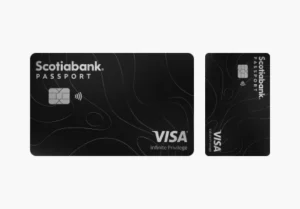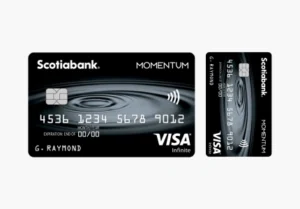
Master the Momentum: Your step-by-step guide to the Scotia Momentum® Visa Infinite
Applying for a premium card like the Scotia Momentum® Visa Infinite is a straightforward process, but it requires attention to detail to ensure a smooth approval. As of 2026, Scotiabank has streamlined its digital application to provide decisions in minutes.
Step 1: Verify Your Eligibility
Before starting, ensure you meet the high-bar requirements for this Infinite-tier card:
- Income: Minimum personal annual income of $60,000 or a household income of $100,000. Alternatively, having $250,000 in assets under management with Scotiabank is also a qualifier.
- Credit Score: A score of 720+ (Excellent) is highly recommended.
- Status: You must be a Canadian resident and of the age of majority in your province.
Step 2: Gather Your Documentation
To complete the 15-minute application, you will need:
- Your Social Insurance Number (SIN) for a real-time credit check.
- Detailed employment information (Employer name, length of employment).
- Your gross annual income figures.
Step 3: The Online Application
Navigate to the Scotiabank website and locate the Momentum Visa Infinite page.
- Select “Apply Now”: If you are an existing Scotiabank customer, sign in to pre-fill your data. If new, proceed as a guest.
- Fill in the Forms: Complete the personal, financial, and employment sections.
- Review the Terms: Pay close attention to the 10% cashback welcome offer details and the first-year fee waiver.
Step 4: Receive Your Decision
In most cases, you will receive an instant decision. If your application requires “Further Review,” an agent may contact you within 2-3 business days to verify income via pay stubs or tax assessments.
Step 5: Activation and Mobile Setup
Once your card arrives (typically within 5-7 business days):
- Activate it via the Scotia mobile app or online banking.
- Add to Mobile Wallet: Link it to Apple Pay or Google Pay to start earning 2% on transit immediately.
- Set Up Recurring Bills: Move your phone, internet, and insurance bills to the card to lock in that 4% cashback immediately.
FAQ: Frequently Asked Questions (2026 Edition)
1. How has the cash back redemption changed in 2026?
The biggest update for 2026 is the “Cash back Anytime” feature. You no longer have to wait until November to receive your rewards. Once you have accumulated a minimum of $25, you can redeem it instantly as a statement credit or a deposit into your Scotiabank chequing/savings account via the app.
2. Which stores count for the 4% grocery rate?
Most major Canadian grocers like Sobeys, Safeway, Metro, and Whole Foods qualify. However, “discount” or “big-box” stores like Walmart and Target are usually excluded from the 4% rate and earn the base 1%. Remember, Costco does not accept Visa, so you cannot use this card there.
3. Is “Food Delivery” included in the high-earn categories?
Yes! As of February 2026, Scotiabank officially added Food Delivery (Uber Eats, DoorDash, etc.) to the 2% cashback category, alongside gas and daily transit.
4. How does the Mobile Device Insurance work?
If you pay for your smartphone or tablet in full with the card, or use it to pay your monthly service bill, you are protected for up to $1,000 against accidental damage, theft, or loss. This coverage is valid for up to two years from the date of purchase.
5. What happens if I spend more than $25,000 in a year?
The 4% and 2% rates are capped at $25,000 in annual spending for each category group. Once you exceed this “spending cap,” those purchases will earn the standard 1% cashback until your account anniversary date resets the limit.
6. Can I get the $120 annual fee waived every year?
Yes. If you maintain a Scotiabank Ultimate Package chequing account, the $120 annual fee for the primary cardholder is waived every year, making this a “no-fee” premium card for loyal bank customers.
You will be redirected to the institution’s website.