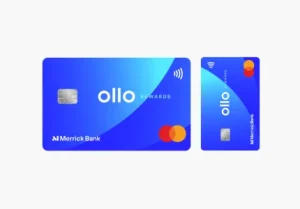
Learn how to use your reservation number and access code to apply for the Ollo Credit Card
Receiving an invitation for Ollo Everyday Rewards Mastercard is a significant milestone in your credit-building journey. Unlike many mainstream cards that allow anyone to apply, Ollo operates on an invitation-only model, targeting individuals who have shown responsible financial behavior. In 2026, as the brand completes its transition back to Merrick Bank, applying for your offer is more streamlined than ever.
Step-by-Step: Responding to Your Ollo Invitation
If you have an invitation in hand, the process of claiming your new card is designed to take less than five minutes.
Step 1: Locate Your Credentials
Open your mail offer and look for two critical pieces of information: your Reservation Number and your Access Code. These codes are unique to you and ensure that the specific terms (like your 0% intro APR or $0 annual fee) are applied correctly to your new account.
Step 2: Visit the “Respond to Offer” Page
Navigate to the official Respond to Offer page on the Ollo website. You will be prompted to enter your Reservation Number and Access Code exactly as they appear on your letter. This step verifies your identity and pulls up your pre-screened application.
Step 3: The QR Code Shortcut
If you prefer to skip typing long codes, most Ollo mailers include a secure QR code. Scanning this with your smartphone camera will automatically populate your credentials and take you directly to the secure application form.
Step 4: Finalize Your Information
While you are pre-selected, you will still need to verify a few details, such as your total annual income and social security number. Most applicants receive an instant decision. Once approved, your new Ollo Mastercard® will arrive at your doorstep in 7 to 10 business days.
Ollo card Everyday Rewards: Frequently Asked Questions
Can I apply for an Ollo card without an invitation?
No. Ollo remains an invitation-only product. If you haven’t received a letter, you cannot apply through the public website. However, keeping your credit profile healthy may trigger an invitation in the future.
My invitation mentions “Merrick Bank.” Is this a scam?
Not at all. The Ollo portfolio officially transitioned from Ally Bank to Merrick Bank. Merrick Bank is a well-established financial institution that now issues and services all Ollo-branded credit products.
What is the “No Gotchas” policy I see in the offer?
This is Ollo’s hallmark philosophy. It means they do not charge hidden fees such as over-limit fees, foreign transaction fees, or a penalty APR if you make a late payment (though standard late fees still apply).
How do I manage my account after I get the card?
Once your card arrives, visit the Activate Card page to set up your digital profile. You can then download the Ollo Mobile App to track spending, pay bills, and view your free monthly FICO® score.
Can I add an authorized user to my Ollo card?
Yes! Once your account is open, you can add up to three authorized users through the Account Services menu. Each user will receive their own card, and you will be responsible for all charges made on the account.
Securing Your Financial Future
Applying for your Ollo Credit Card offer is more than just getting a new piece of plastic; it is a tactical step toward a stronger financial profile. By following the “Respond to Offer” process, you are locking in a card that prioritizes transparency and proactive credit growth. With the backing of Merrick Bank and a suite of “No Gotcha” benefits, your Ollo card is a powerful companion for your daily spending and long-term credit success.
You will be redirected to the institution’s website.