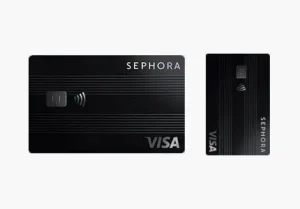
Navigating the Sephora Card application: What you need to know, how to apply, and answers to the most popular questions.
Applying for a retail credit card can be a strategic move to save on high-end beauty, but the process requires specific documentation and a clear understanding of which card you are actually targeting. Whether you are applying for the Sephora Credit Card (store only) or the Sephora Visa® Credit Card, this guide covers the journey from application to activation.
1. Pre-Application Checklist: What You’ll Need
Before you begin, ensure you have the following information ready to avoid delays or a “pending” status:
- Personal Information: Full legal name, date of birth, and Social Security Number (SSN) or Individual Taxpayer Identification Number (ITIN).
- Contact Details: A valid U.S. street address (P.O. Boxes are not accepted for the primary address), email, and a mobile phone number for identity verification.
- Financial Data: Your total annual net income. Comenity Bank uses this to determine your debt-to-income ratio and set your initial credit limit.
- Beauty Insider Account: You should ideally have your Sephora Beauty Insider email/ID ready so the accounts can be linked instantly.
2. Choosing Your Application Method
In 2026, there are three primary ways to apply. Each has its own speed and “vibe”:
A. Online Application (Fastest)
- Visit the Sephora Credit Card Program page.
- Click “Apply Now.”
- Log in to your Sephora account to pre-fill your data.
- Review the “Schumer Box” (the table of interest rates and fees).
- Submit and receive an instant decision (usually within 60 seconds).
B. In-Store Application (Best for Immediate Savings)
If you are at a standalone Sephora store, an associate can process your application at the register.
- Benefit: If approved, the associate can apply your 25% sign-up discount to your purchase right then and there using a temporary digital card.
- Tip: Bring a valid government-issued photo ID (Driver’s License or Passport).
C. Mobile App Application
Open the Sephora app, navigate to the “Accounts” tab, and look for the credit card section. This method is ideal if you want to keep your digital card stored in your Sephora App Wallet immediately.
3. The Approval Process: Store vs. Visa
You apply for “the Sephora Card,” and Comenity Bank’s algorithm decides your fate:
- Scenario 1: You are approved for the Sephora Visa® Signature Card (highest credit tier).
- Scenario 2: You are approved for the Sephora Store Card (usable only at Sephora).
- Scenario 3: You are declined for both. In this case, you will receive a “Notice of Adverse Action” in the mail explaining why (usually due to credit score or high existing debt).
4. Post-Approval: Activation and Management
Once approved, your physical card will arrive in 7–10 business days.
- Activate Online: Go to the Comenity/Sephora registration page to activate the physical card.
- Register for Paperless: To avoid the $2.99 monthly paper statement fee, enroll in digital statements immediately through the Comenity Account Center.
- Link to Wallet: Add the card to Apple Pay or Google Pay to earn that 1% back on “everything else” if you have the Visa version.
Frequently Asked Questions (FAQ)
Yes, after 6–12 months of consistent, on-time payments, you can request an increase through the Comenity Bank online portal.
The 25% discount is usually triggered by using the Sephora card as the payment method within 30 days of approval. If it didn’t work, contact Sephora Customer Service before finalizing the payment.
Yes. Like most credit cards, this involves a “Hard Inquiry” on your credit report, which may temporarily dip your score by a few points.
No. You can only use the Sephora Store Card and earn the 4% rewards at standalone Sephora stores and Sephora.com. While the Visa version works at Kohl’s as a standard credit card, it will only earn 1% back there.
The only way to win is to pay your statement in full every month. Set up “Auto-Pay” for the full statement balance through the Comenity website to ensure you never pay a cent in interest.
You will be redirected to the institution’s website.